Projector1 Projector1
  • Home
  • Beginner Guide
  • Products
  • Projector Calculator
  • ANSI Lumens Calculator
  • Nano Banana
Projector1 / Video / How to Replace Lamp for BenQ Projectors?
Video

How to Replace Lamp for BenQ Projectors?

  • By Songnig
  • . May 10, 2022
  • 1,522 Views

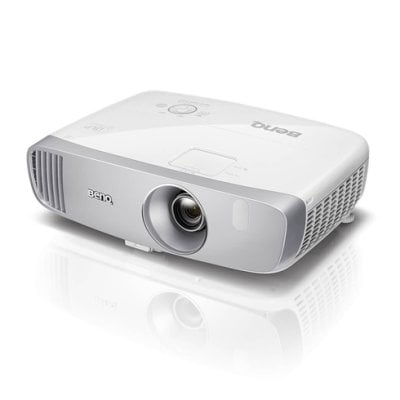
If the image gets darker and darker, you may need to replace a lamp for your BenQ projector. Check the video to replace the lamp for your projector and reset the lamp timer. It is recommended to replace the lamp when the projector has been shut off for 45 mins.
Video Author: BenQ Support
Related Posts
BenQ HT2050A Remote Control Doesn’t Work Solution
BenQ HT2050A Projector Can’t Detect 3D Signal Troubleshooting
BenQ X3000i 4K HDR Signal Guide and Tips
BenQ HT2050A Projector Maintenance and Use Tips
BenQ Projector Not Turning On Troubleshooting Solutions

Tags:BenQ Projectors
Previous Post

Can I Cast iPhone Screen onto Toperson YG670 Projector?

Next Post

Toperson YG670 Projector Focus Adjustment Tip

Related Posts

BenQ X1300i Projector Review: Amazing Gaming Projector

By  Projector Novice
BenQ X1300i

BenQ X1300i Unboxing and Review: A Powerful Gaming Projector

By  Projector Novice
Benq-GV10

BenQ GV10 Review: The Portable Projector You Didn’t Know You Needed!

By  Sylvie Johnson
BenQ X3000i Android TV Dongle Remote Control Troubleshooting

BenQ X3000i Android TV Dongle Remote Control Troubleshooting

By  Gary Brown

SERVICES

  • Projector Beginner’s Guide
  • Projector Products

TOOLS

  • Projector Calculator
  • BenQ Projector Calculator
  • Projector Lumen Converter Tool

PROJECTOR

  • Best 4K Projectors
  • Best Pico Projectors
  • Projector Screen Buying Guide

ABOUT

  • About Us
  • Privacy Policy
  • Terms of use
Projector1
Find us here

Copyright © 2024 Projector1 | All rights reserved | Sitemap | Contact Us | As an Amazon Associate I earn from qualifying purchases.